
How to Update Your Payment Information
Overview
Ridepanda customers can easily update their payment method directly from their Ridepanda account. This article walks through where to find your billing information and how to make changes to the payment method on file.
Step-by-Step: Changing Your Payment Method
Log in to your Ridepanda account
Once logged in, you’ll land on the dashboard. The first screen you see after login. This page shows your subscription status (or order status), next payment date, current vehicle details and main menu.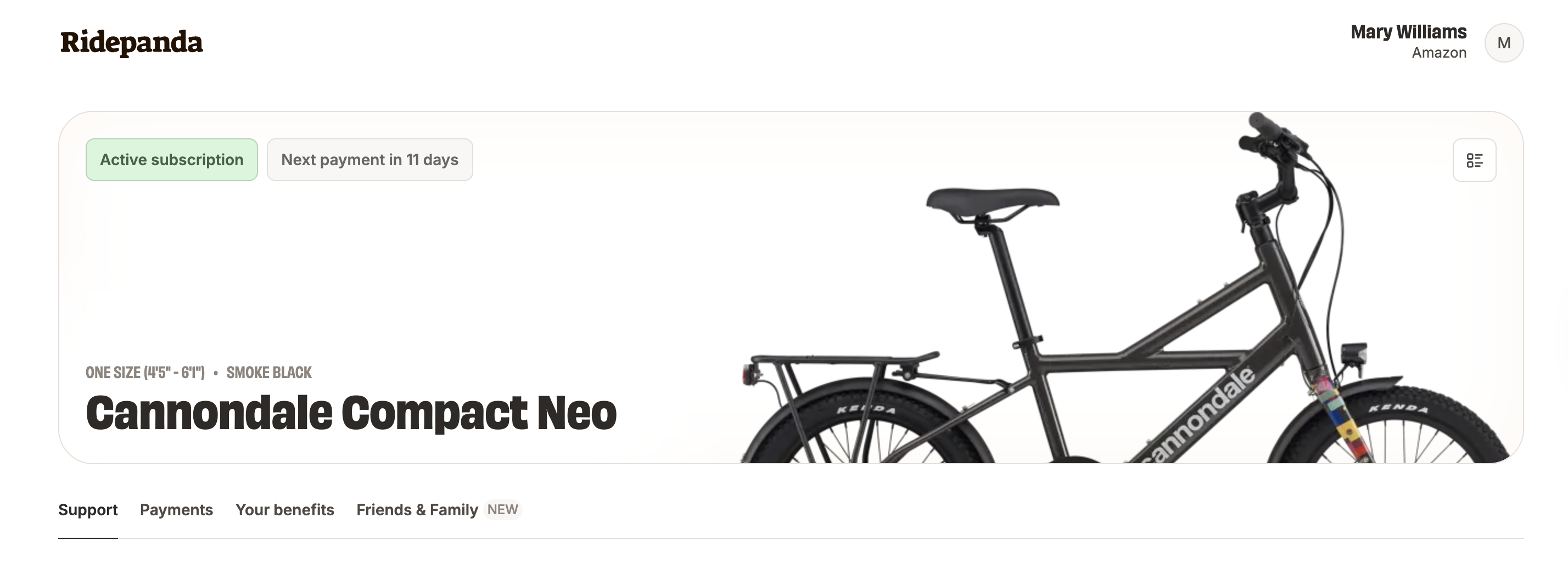
Navigate to the Payments section
From the main menu on the dashboard, select Payments.Review your billing details
In the Payments section, you can view:Your subscription price
Your payment history
Your current payment method on file
Update your payment information
From this page, you can update the payment method associated with your subscription by clicking "Change".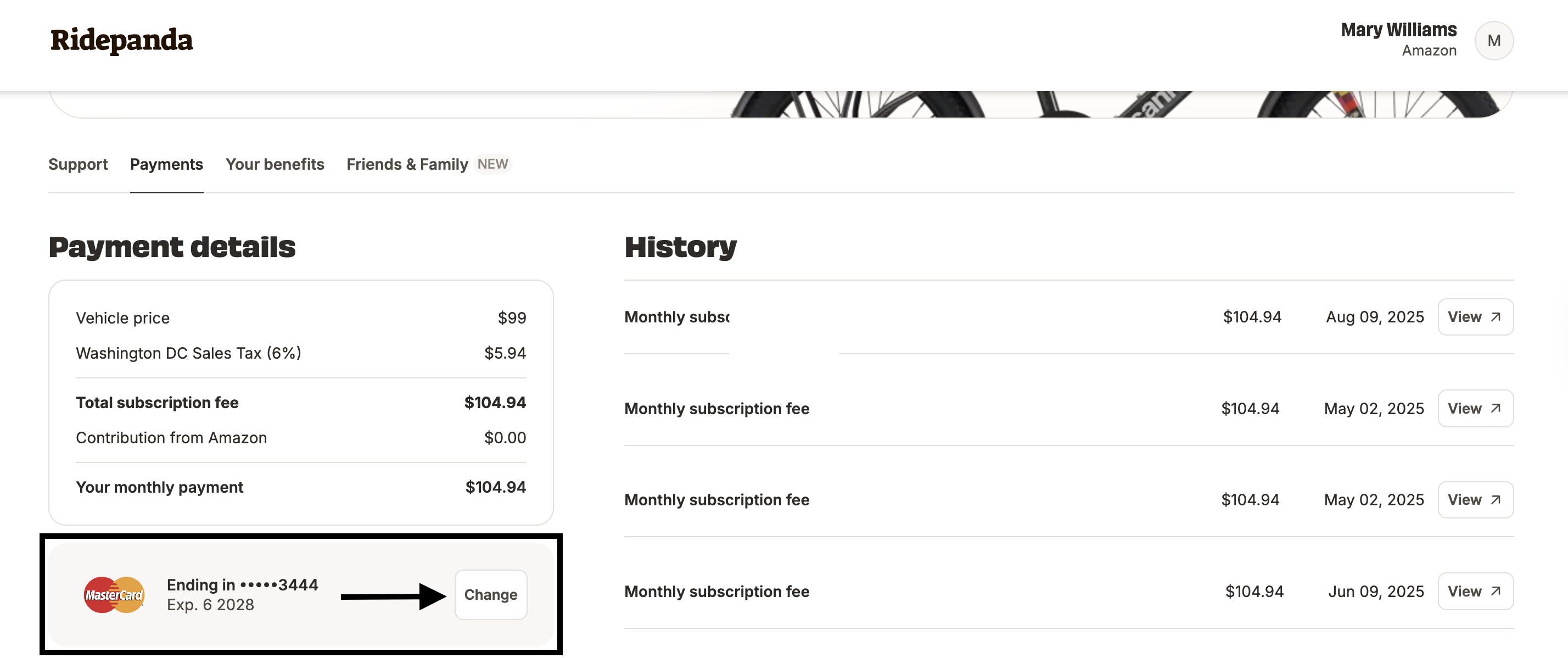
FAQs
When will my new payment method take effect?
Any updates to your payment method will apply to future subscription charges. If a payment is already in progress or past due, it may still attempt to process using the previous payment method.
Can I see past charges after updating my payment method?
Yes. Your payment history, receipts, and invoices remain available in the Payments section, even after you update your payment information.
I'm having trouble updating my payment method. What should I do?
If you’re having trouble updating your payment method, it may be due to an expired or invalid card or a temporary system issue. If the issue persists, contact Ridepanda Customer Support.
Subscription Eligibility
This article can be used by all subscribers (Hub, Direct Ship, Partner Shop Program).
Additional Resources
If you have questions or need assistance, please email us at support@ridepanda.com or call 1-650-523-9577.