
Bike Sizing Guide
Overview
The right fit makes every ride more comfortable and safer. This guide shows you how to find your size and check that a vehicle can handle your load before you subscribe.
Finding Your Size
Each vehicle on the portal lists the rider height range for every size.
Measure your height without shoes.
Open the vehicle you're interested in on the Ridepanda portal.
Compare your height to the range listed for each size.
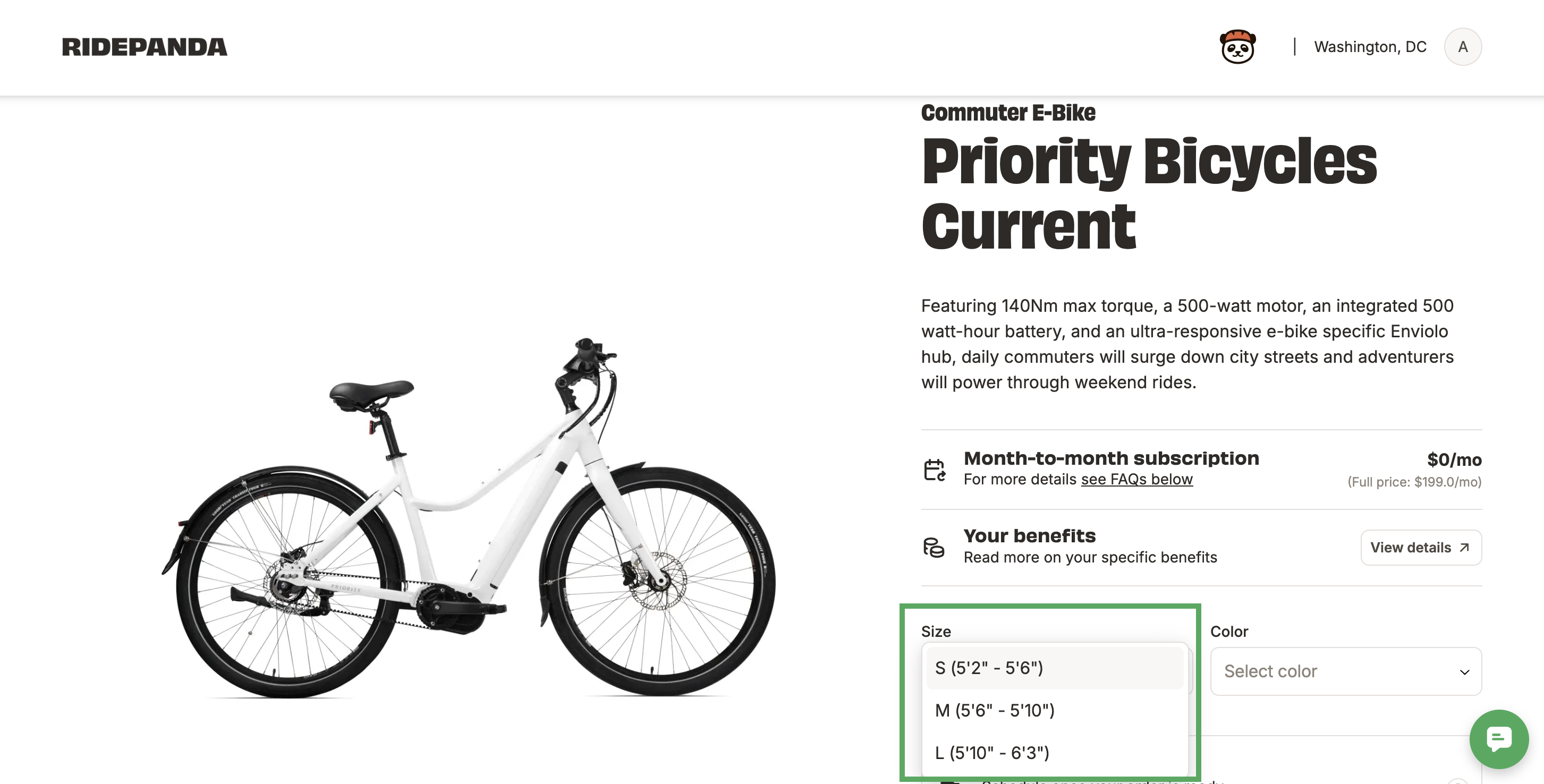
Pick the size that includes your height.
Checking the Max Load
Every vehicle has a max load, which you'll find in the specs on the vehicle's page. Max load is the most weight the vehicle can safely carry, including you and anything you bring along, like a backpack, groceries, or a child seat.
Before you choose a vehicle, add up:
Your weight
What you'll carry, like a bag, cargo, or a passenger in a child seat
If your total is over the max load, choose a different vehicle. Riding over the max load can damage the vehicle and make it less safe to ride.
FAQs
What if I'm between sizes?
Go smaller if you want a more upright, easier-to-handle ride. Go larger if you're on the taller side of your range or prefer a more stretched-out position.
Why isn't my size showing?
Each size is stocked separately, so your size may be temporarily unavailable.
What if my bike doesn't fit?
Let us know. Depending on your situation, you may be able to swap to a different size. See Vehicle Swaps or Direct Ship Swaps.
How do I find my helmet size?
Additional Resources
If you have more questions or need more assistance, please email us at support@ridepanda.com.